> For the complete documentation index, see [llms.txt](https://docs.frends.com/llms.txt). Markdown versions of documentation pages are available by appending `.md` to page URLs; this page is available as [Markdown](https://docs.frends.com/docs/frends-6.1.0/frends-development/integrations/low-code-development.md).
# Low-code Development
We have visual process editor, enhanced with C# code.
Frends uses BPMN 2.0 notation to define APIs, integrate systems, and automate processes. Frends provides enhancements to the notation with Handlebars-enabled C# programming, making it possible to create most anything that is visually pleasing, easy for non-programmers to read and understand, and requiring only minimal programming by the developer.
## Process Editor
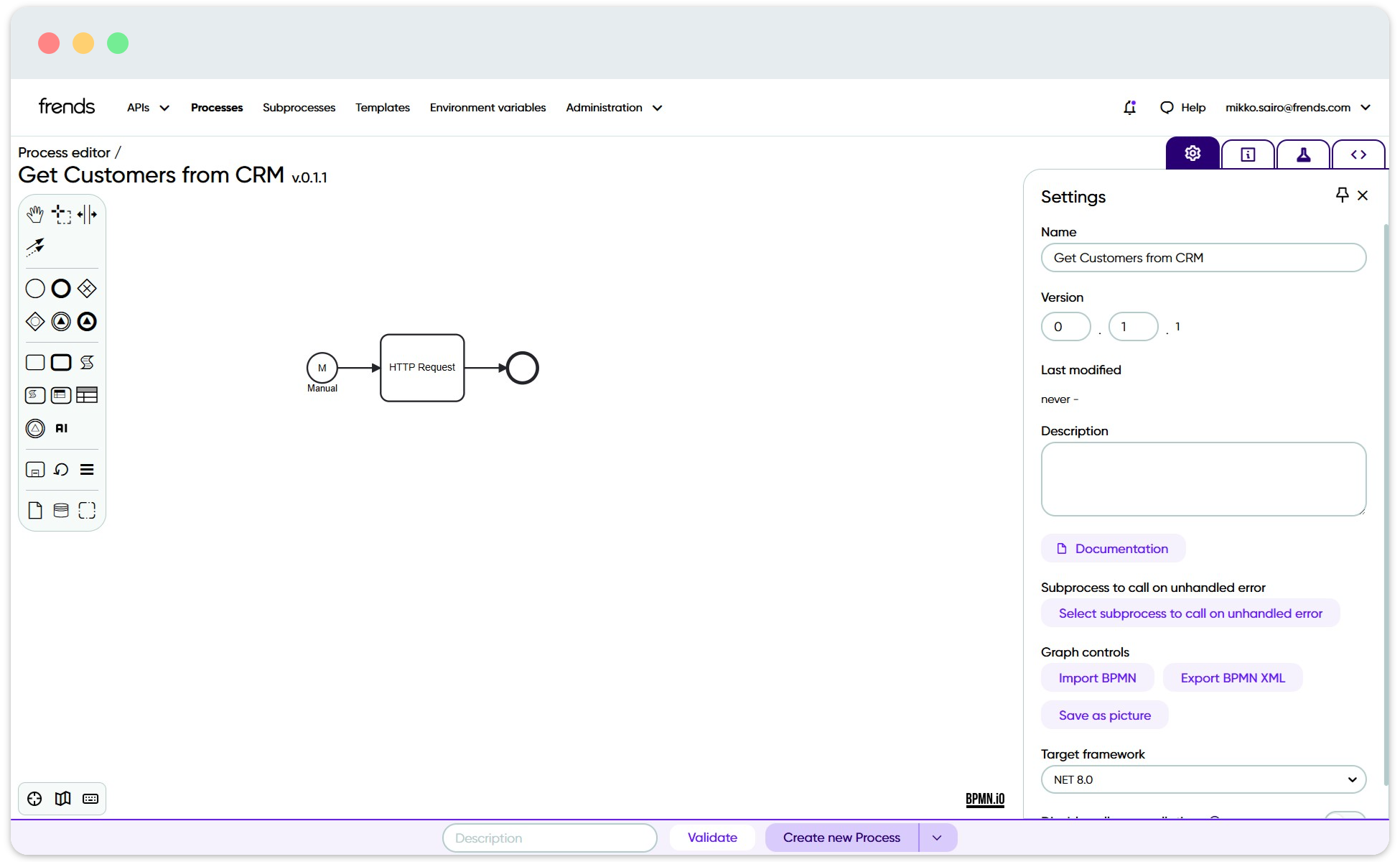
At the core of Frends is our prized Process Editor, which utilises BPMN 2.0 notation to create the integration flows or Processes. With the drag and drop editor, it is easy to both visualize what is happening and in what order, as well as create the logic to do exactly what you want and need to do. No coding expertise required to understand the Processes.
Process Editor is built in to the Frends Control Panel.
## Coding features
While most of the logic can be done with only the graphical elements, including the powerful Tasks to perform pre-defined actions, Frends is specifically a low-code platform for integrations. Thus, if you need and want to, you can include C# code in the Processes to fine tune more complex logic.
Code Task can be used to execute C# code.
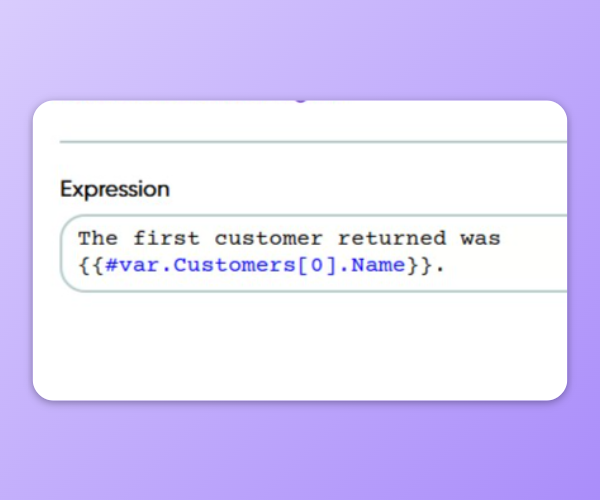
Code can be included as separate shapes to perform actions in task-like manner, or you can include short pieces of code into any text input field using Handlebars-like syntax. Most parameter fields can also be changed to take in C# code instead of text, in case the value is coming from variables instead of predefined text.
Handlebar syntax can be used to add variable input from C# code into text.
And finally, when handling data from the Process flow in other parts of the Process, you can use References such as **#trigger**, **#var** and **#env** to access values from the start condition that triggered the Process, variables defined in the Process, as well as Environment Variables that are centrally defined for each execution Environment, respectively. These work exactly like variables would in standard C# code and are accessible Process-wide after being initialized in the Process.
[You can learn more about using C# in Frends from here](/reference/frends-6.1.0/process-development/c-in-frends.md).
---
# Agent Instructions
This documentation is published with GitBook. GitBook is the documentation platform designed so that both humans and AI agents can read, navigate, and reason over technical content effectively. Learn more at gitbook.com.
## Querying This Documentation
If you need additional information that is not directly available in this page, you can query the documentation by asking a question.
Perform an HTTP GET request on the following URL with the `ask` and `goal` query parameters:
```
GET https://docs.frends.com/docs/frends-6.1.0/frends-development/integrations/low-code-development.md?ask=&goal=
```
`ask` is the immediate question: it should be specific, self-contained, and written in natural language.
`goal` is what the user is ultimately trying to achieve, the reason they need the answer. Sharing it helps GitBook give you a better, more relevant answer. A goal is most helpful when it describes the outcome the user wants rather than restating the question. For example, with `ask=how do I create an API token`, a goal like `automate deployments from our CI pipeline` lets GitBook tailor the answer to that use case.
The response will contain a direct answer to the question and relevant excerpts and sources from the documentation.
Use this mechanism when the answer is not explicitly present in the current page, you need clarification or additional context, or you want to retrieve related documentation sections.
.png)