> For the complete documentation index, see [llms.txt](https://docs.frends.com/llms.txt). Markdown versions of documentation pages are available by appending `.md` to page URLs; this page is available as [Markdown](https://docs.frends.com/docs/frends-6.1.0/management-and-operations/integration-lifecycle/environments.md).
# Environments
Assuming your other systems support separate testing and production environments, Frends includes easy to way manage and differentiate functionality and values by the Environment the Process is deployed to.
## Environments & Agent Groups
To separate different uses for different publications of the Processes, Frends provides Environments. These can be used to separate development, testing and production sites from each other by their use and target systems, by defining and using Environment Variables. When defined and used in Processes, Environment Variables can hold different values by the Environment the Process is deployed to.
While Environments separate the different sites logically by use purpose and shared values, Agent Groups in them define the actual location where the Processes will be executed. Because Frends supports hybrid architecture for execution environment, the Agent Groups essentially define whether the execution is done in dynamic containers, in the cloud or on an on-premise server.
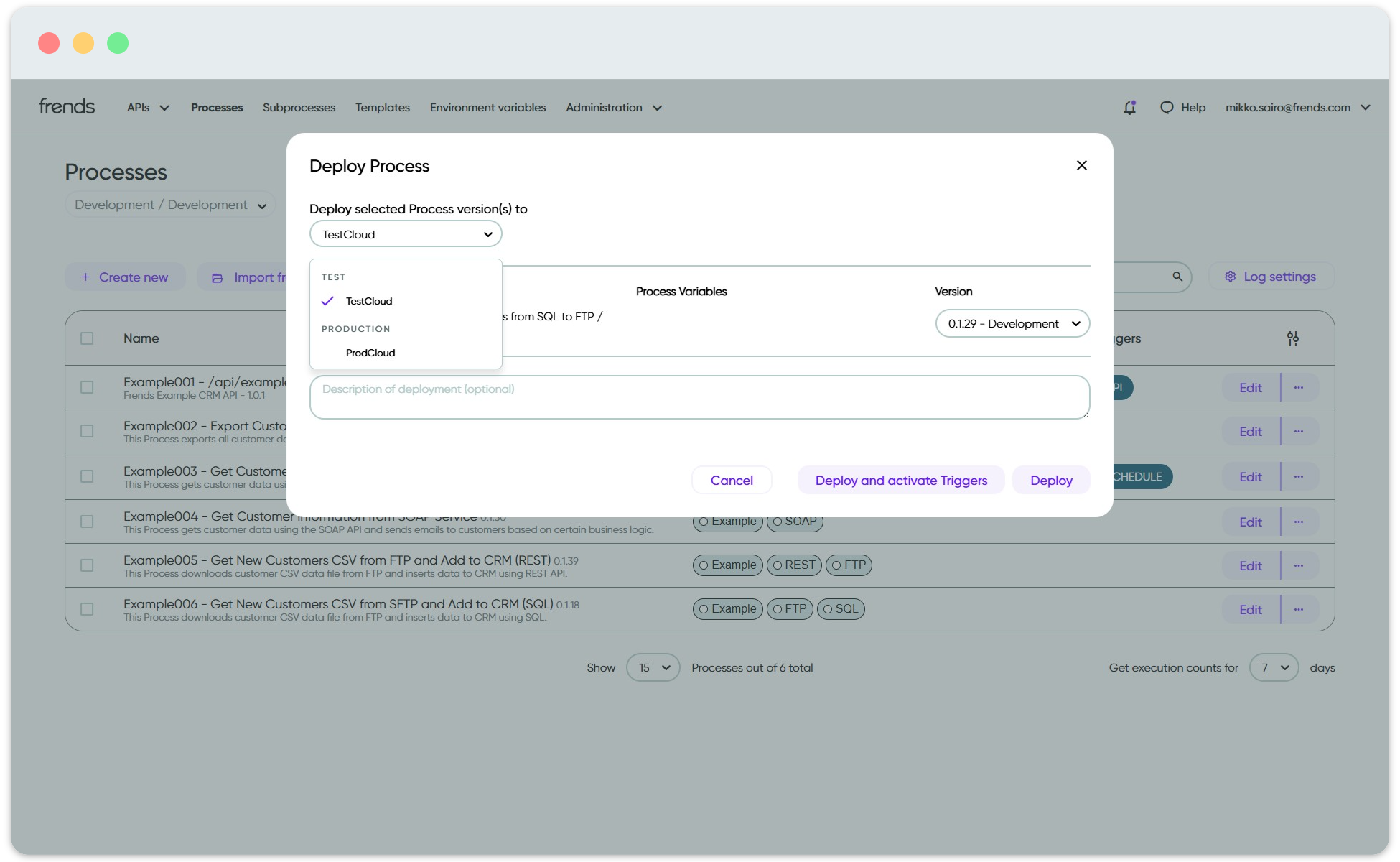
In order to push the changes to other Environments and Agent Groups in Frends, all you need to do is to deploy the Process or Processes to another Environment and Agent Group. The centrally managed Environment Variables will be applied directly and immediately to the Processes being deployed, making sure that no development values will be used in production.
Selecting the target Environment and Agent Group for Process deployment.
In case you need to take down a Process from Production or return to older version of the Process, is just as easy as deployment. Simply select another, older version of the Process to deploy, and the changes will be rolled back from the target Agent Group. You can also of course deactivate the Process Triggers or delete the Process from the Agent Group you no longer need it in, and that makes sure the Process will no longer run in that Agent Group, without affecting others.
---
# Agent Instructions
This documentation is published with GitBook. GitBook is the documentation platform designed so that both humans and AI agents can read, navigate, and reason over technical content effectively. Learn more at gitbook.com.
## Querying This Documentation
If you need additional information that is not directly available in this page, you can query the documentation dynamically by asking a question.
Perform an HTTP GET request on the current page URL with the `ask` query parameter, and the optional `goal` query parameter:
```
GET https://docs.frends.com/docs/frends-6.1.0/management-and-operations/integration-lifecycle/environments.md?ask=&goal=
```
`ask` is the immediate question: it should be specific, self-contained, and written in natural language.
`goal` is optional and describes the broader end goal you are ultimately trying to accomplish on behalf of the user. GitBook uses it to tailor the answer towards what is most useful for that goal.
The response will contain a direct answer to the question and relevant excerpts and sources from the documentation.
Use this mechanism when the answer is not explicitly present in the current page, you need clarification or additional context, or you want to retrieve related documentation sections.