# Getting Started

Welcome to Frends's getting started section. Frends is an easy-to-use and powerful integration platform (iPaaS) that is designed to support your most critical business needs and that developers like to use.&#x20;

## Introduction

Frends' low-code integration editor makes it easy for anyone to understand the logic behind the integrations, while being powerful enough to make it possible to create anything in the capable hands of integration developers.&#x20;

Having version control and CI/CD capable deployment and environments built in to the platform makes it easy to develop and deploy new features to test and production. Once deployed, the provided logging features show instantly what happened and where.

Are you perhaps interested in creating APIs using Frends? We have full suite of API management features too, built in and always included, just like the other features. Pop in your OpenAPI specification and link a process to each endpoint, and you're ready to get the integration logic flowing through an API. Securely, of course.

## How Frends works

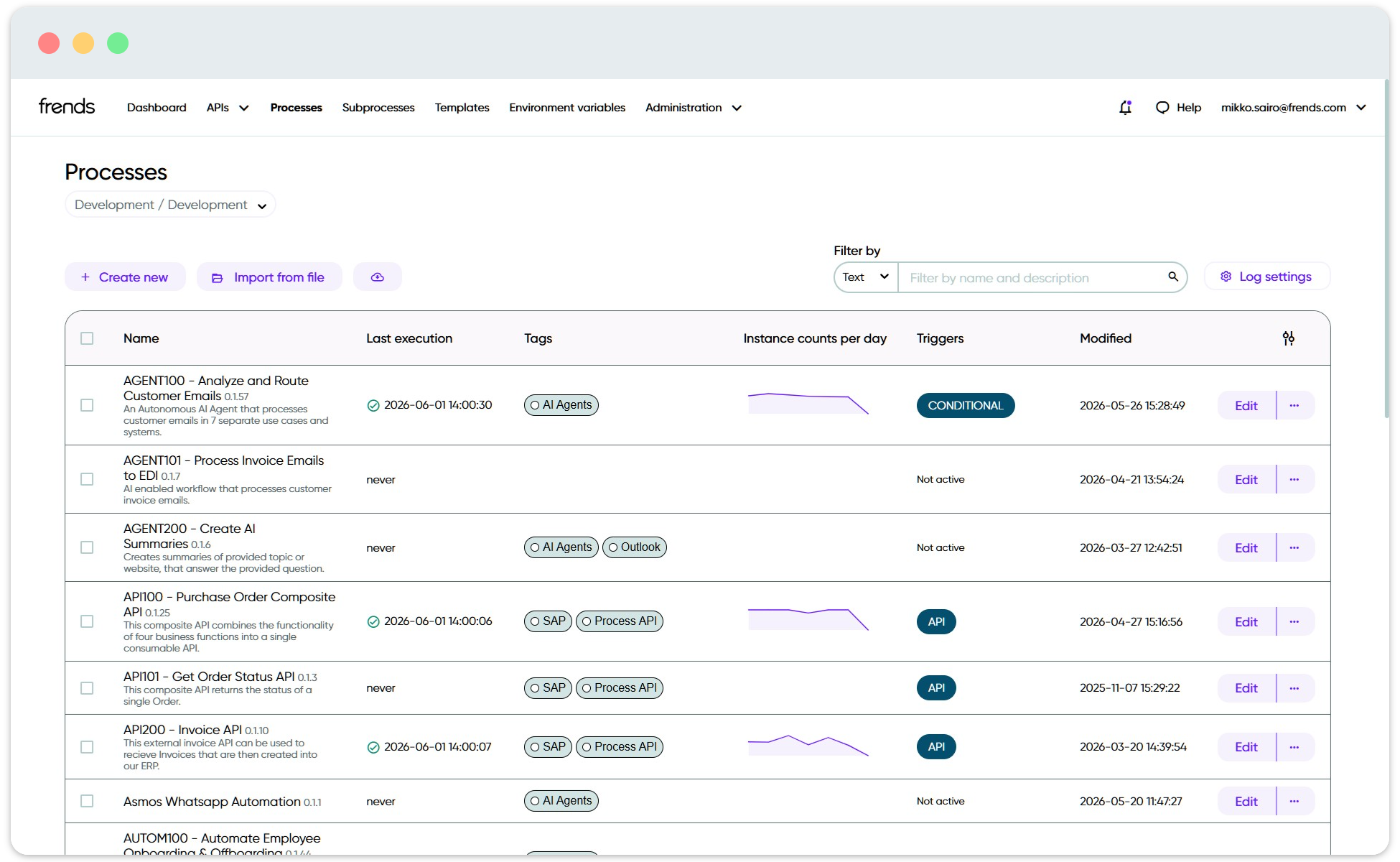
Frends is used through a web-based Control Panel, where you design, manage, and monitor integrations.&#x20;

<figure><img src="/files/7Zxuxh1chHb53WKAdn4B" alt=""><figcaption><p>Process list view in Frends Control Panel.</p></figcaption></figure>

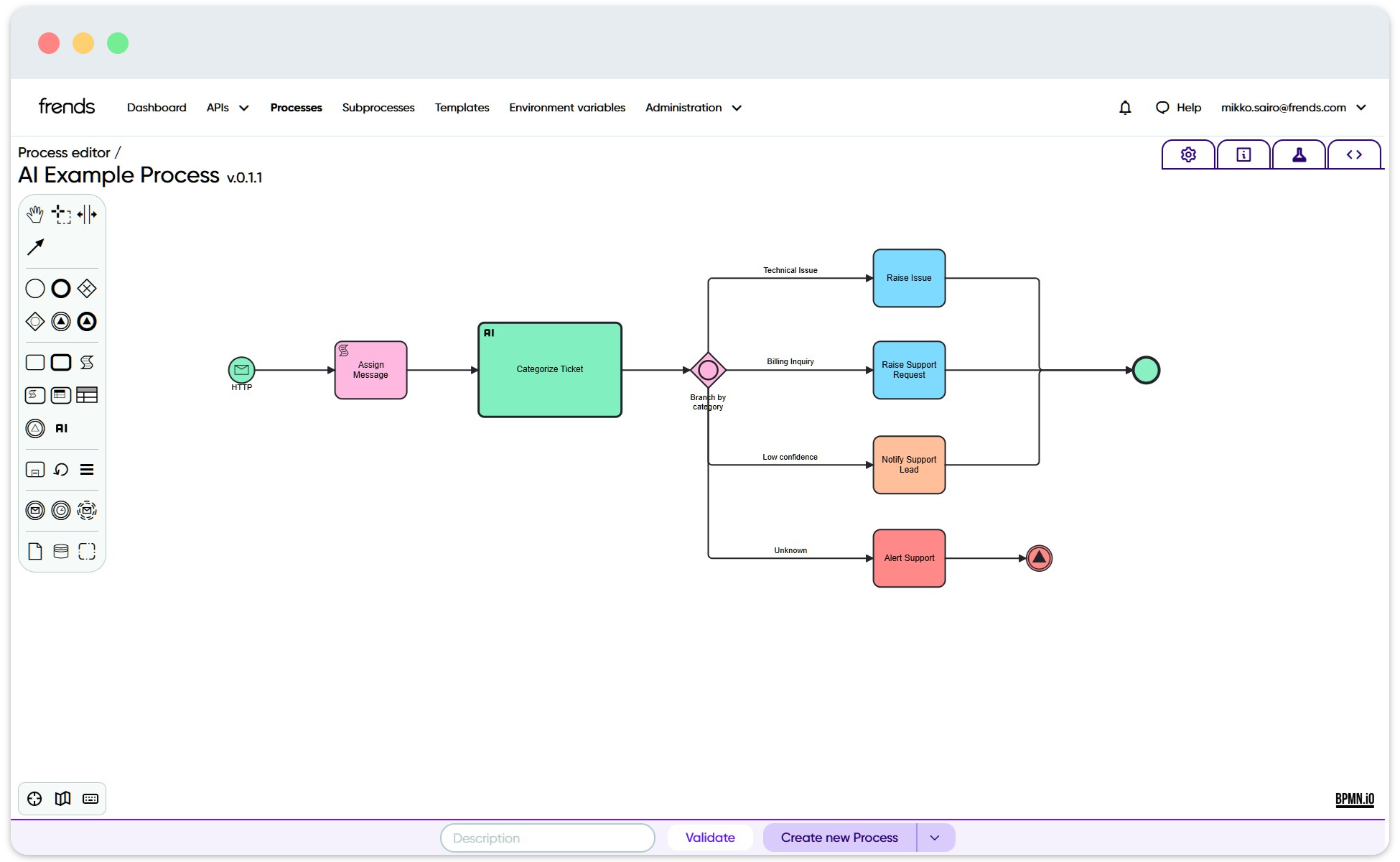
The main building block is a Process, which is a visual workflow that describes what should happen. A Process usually starts with a Trigger, such as a schedule, an incoming API request, or a file event, and then continues through Tasks that do the actual work, such as calling an API, reading a file, transforming data, or sending information to another system.

<figure><img src="/files/TuWymiTSOUwl9XsHsmF0" alt=""><figcaption><p>Process definition in Frends Process Editor.</p></figcaption></figure>

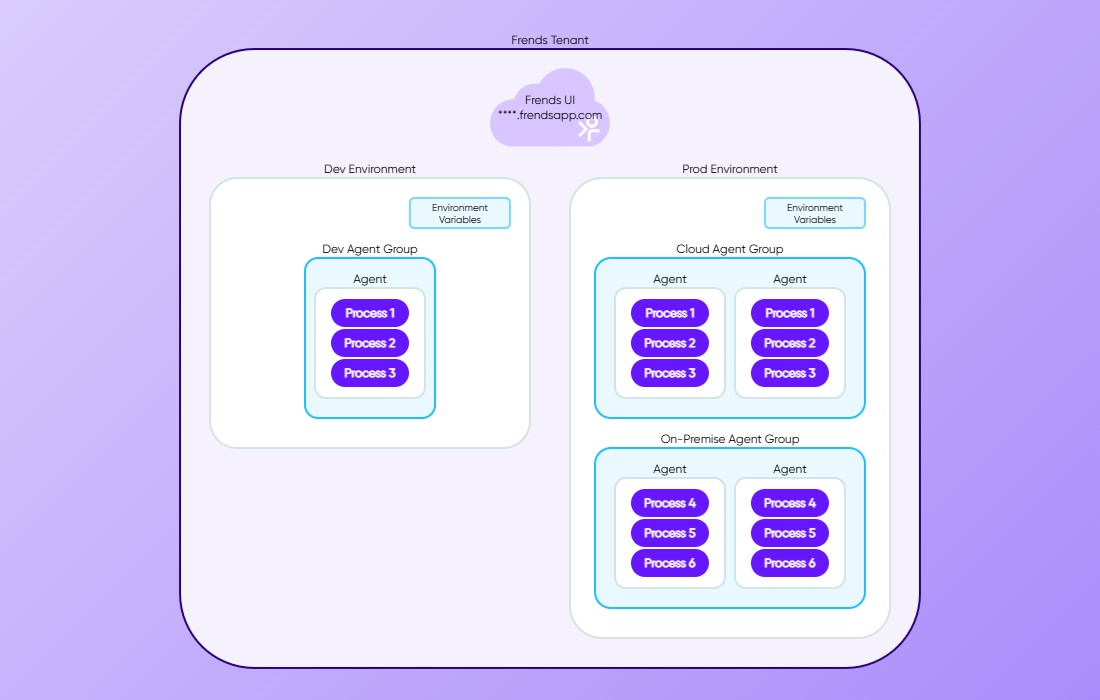
When a Process is ready, it is deployed to an Agent Group. The Agent Group contains one or more Agents, which are the runtime components that actually execute the Process. This means that Frends can be managed centrally from the Control Panel, while the integration itself can run in the cloud, on-premises, or close to the systems and data it needs to access.

<figure><img src="/files/XwvihYp12V4CgXLBSG3f" alt=""><figcaption><p>Example distribution and topology of Frends environment.</p></figcaption></figure>

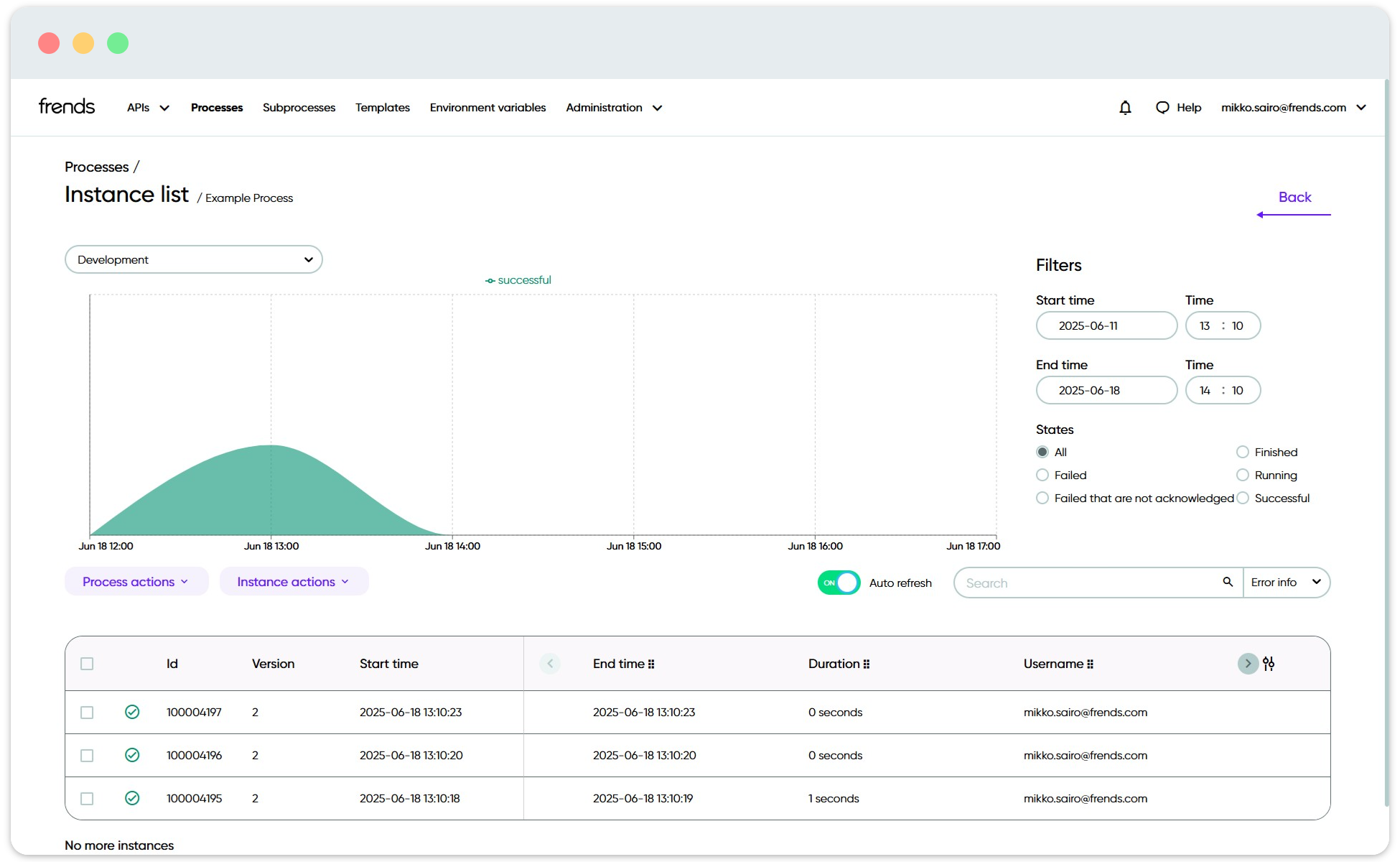
Every time a Process runs, Frends creates a Process Instance. The Process Instance shows what happened during that specific execution, including whether it succeeded, how long it took, which steps were executed, and what values or errors were logged. This makes it possible to follow and troubleshoot integrations from the same place where they are designed and managed.

<figure><img src="/files/zdepc8dQFQ2KHvzckfdw" alt=""><figcaption><p>Process Instance list view for a Process.</p></figcaption></figure>

## Frends terminology and highlights

Regardless of your role, you might want to get familiar with [Frends Glossary](/docs/frends-6.2.0/get-started/frends-glossary.md) as well as [Frends Highlights](/docs/frends-6.2.0/get-started/frends-highlights.md) which will help you understand the platform and terminology used better.&#x20;

For the very basics of the platform, we recommend also checking out the Welcome tour in your Frends Tenant. You can find it from the Home View of your Frends Platform, under **Onboarding**, if it didn't launch automatically.&#x20;

You can also check this interactive demo we have built just for you:

{% @storylane/embed subdomain="app" linkValue="ldn2hxarpe4m" url="<https://app.storylane.io/share/ldn2hxarpe4m>" %}

## Learning paths

With the basics of the Frends platform grasped, here you can find the curated guides to get you further on your path.

<table data-view="cards"><thead><tr><th data-type="content-ref"></th><th></th><th data-hidden data-type="content-ref"></th></tr></thead><tbody><tr><td><a href="/pages/8Qh3RfgFecxIcDC3pXxl">/pages/8Qh3RfgFecxIcDC3pXxl</a></td><td><p>How to create, deploy and test integrations, called </p><p>Processes, with Frends.</p></td><td><a href="/pages/8Qh3RfgFecxIcDC3pXxl">/pages/8Qh3RfgFecxIcDC3pXxl</a></td></tr><tr><td><a href="/pages/WDBGz4mIen7bhJux0nAD">/pages/WDBGz4mIen7bhJux0nAD</a></td><td>How to check what is happening in your Frends environment.</td><td><a href="/pages/WDBGz4mIen7bhJux0nAD">/pages/WDBGz4mIen7bhJux0nAD</a></td></tr><tr><td><a href="/pages/Mi1VWoJYPcLkpTMEg8q6">/pages/Mi1VWoJYPcLkpTMEg8q6</a></td><td>Received a support ticket about Frends and no idea how to continue? Start here.</td><td><a href="/pages/Mi1VWoJYPcLkpTMEg8q6">/pages/Mi1VWoJYPcLkpTMEg8q6</a></td></tr></tbody></table>

## What's next?

Already got yourself familiarized with Frends basics? Check out these categories to learn more about Frends.

<table data-view="cards"><thead><tr><th data-type="content-ref"></th><th></th><th data-hidden data-card-target data-type="content-ref"></th></tr></thead><tbody><tr><td><a href="/spaces/CG3eZSQxN6Vmql5l7kup/pages/OnunVx50aX4gwKLVoNzR">/spaces/CG3eZSQxN6Vmql5l7kup/pages/OnunVx50aX4gwKLVoNzR</a></td><td>Learn more about Frends Processes' technical details.</td><td><a href="/spaces/1H5SQ92uIfBOYNIeoUAc/pages/OnunVx50aX4gwKLVoNzR">/spaces/1H5SQ92uIfBOYNIeoUAc/pages/OnunVx50aX4gwKLVoNzR</a></td></tr><tr><td><a href="/spaces/0p415NUmUmiF4ayjI81L/pages/zNqockfKNAyaYzX3hTKt">/spaces/0p415NUmUmiF4ayjI81L/pages/zNqockfKNAyaYzX3hTKt</a></td><td>More guides to learn about common use cases and scenarios.</td><td><a href="/spaces/0p415NUmUmiF4ayjI81L/pages/dgf7eh785UkA0sYHgytO">/spaces/0p415NUmUmiF4ayjI81L/pages/dgf7eh785UkA0sYHgytO</a></td></tr><tr><td><a href="/pages/EfB5g6cma7RMKRqZtvbK">/pages/EfB5g6cma7RMKRqZtvbK</a></td><td>Learn more about the development features in Frends.</td><td><a href="/pages/EfB5g6cma7RMKRqZtvbK">/pages/EfB5g6cma7RMKRqZtvbK</a></td></tr><tr><td><a href="/pages/r9uYBAKyEC4F2jHo31CH">/pages/r9uYBAKyEC4F2jHo31CH</a></td><td>Interested in managing and supporting Frends &#x26; integrations? Check here.</td><td><a href="/pages/r9uYBAKyEC4F2jHo31CH">/pages/r9uYBAKyEC4F2jHo31CH</a></td></tr><tr><td><a href="/pages/I9RI55qvPGhNz84Nb4Z0">/pages/I9RI55qvPGhNz84Nb4Z0</a></td><td>This is how Frends works in the background.</td><td><a href="/pages/I9RI55qvPGhNz84Nb4Z0">/pages/I9RI55qvPGhNz84Nb4Z0</a></td></tr></tbody></table>

## Certification

If you're ready to take your understanding of Frends to the next level, consider following [our certification learning paths available in the Guides section](/guides/learning-paths/overview.md). These paths are designed to help you deepen your knowledge of the platform, focusing on advanced topics and practical applications.

#### Why Pursue Certification?

* **Enhance Your Skills:** Gain comprehensive insights into complex integration scenarios and platform capabilities.
* **Boost Your Career:** Certification can demonstrate your expertise to employers and clients, potentially opening new professional opportunities.
* **Stay Updated:** Engage with the latest features and techniques as you prepare for the exam.

[Visit the Learning Paths section in Guides](/guides/learning-paths/overview.md) and you'll be well on your way to mastering Frends and achieving certification. Good luck on your learning journey!


---

# Agent Instructions: Querying This Documentation

If you need additional information that is not directly available in this page, you can query the documentation dynamically by asking a question.

Perform an HTTP GET request on the current page URL with the `ask` query parameter:

```
GET https://docs.frends.com/docs/frends-6.2.0/get-started/getting-started-guide.md?ask=<question>
```

The question should be specific, self-contained, and written in natural language.
The response will contain a direct answer to the question and relevant excerpts and sources from the documentation.

Use this mechanism when the answer is not explicitly present in the current page, you need clarification or additional context, or you want to retrieve related documentation sections.