> For the complete documentation index, see [llms.txt](https://docs.frends.com/llms.txt). Markdown versions of documentation pages are available by appending `.md` to page URLs; this page is available as [Markdown](https://docs.frends.com/docs/frends-6.2.0/hybrid-integration-architecture/process-execution-model.md).
# Process Execution Model
How are integrations executed on Frends.
A Process in Frends is executed by the [Frends Runtime](/docs/frends-6.2.0/hybrid-integration-architecture/frends-runtime.md), where Environments, Agent Groups, Agents, and Triggers work together to start and run integrations in the right place, with the right configuration.
## Process and Process Instance
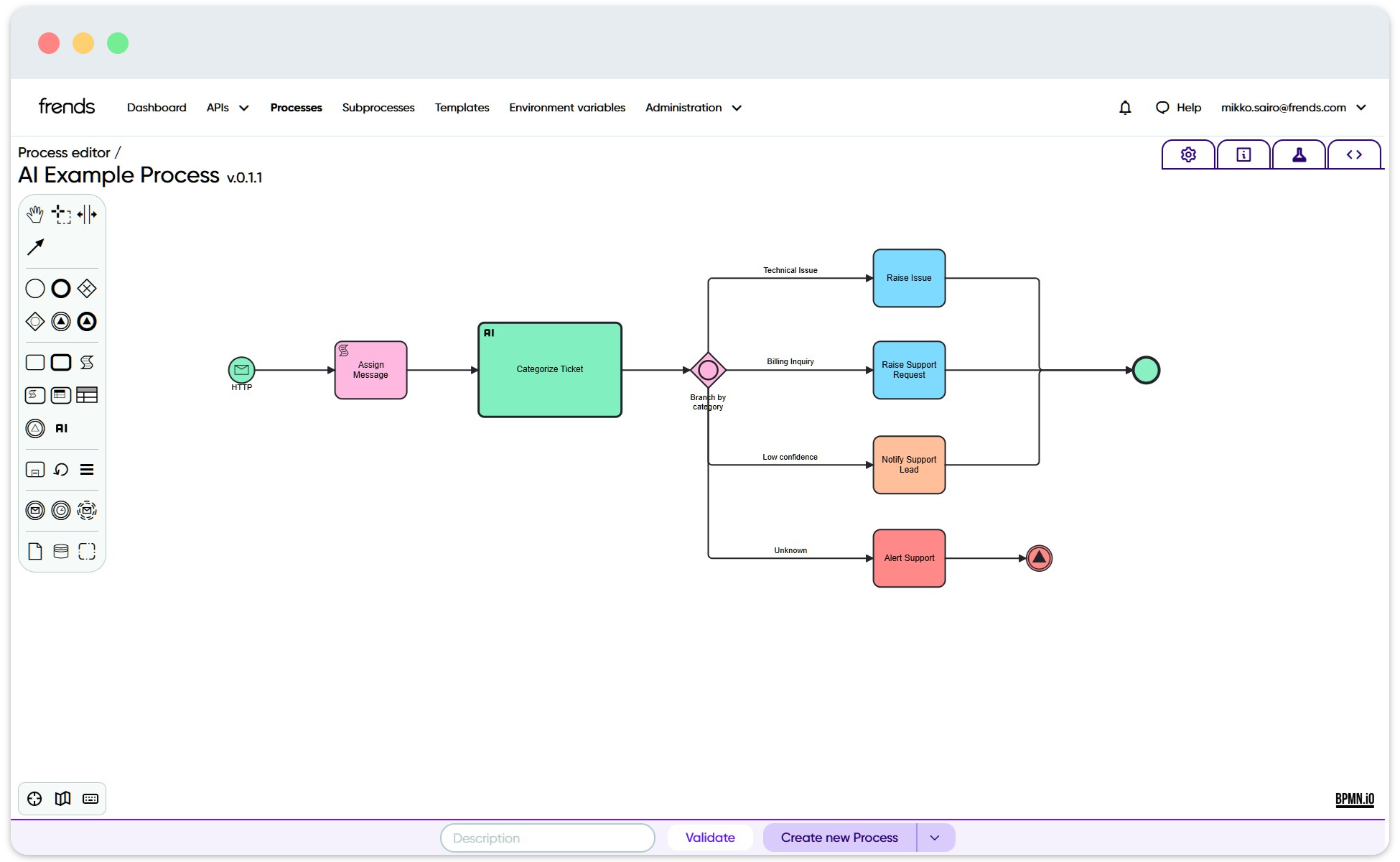
A Process is the visual integration flow that defines what should happen when an integration runs. It can include a Trigger, Tasks, decisions, loops, Subprocess calls, and other elements that together describe the automation or integration logic.
When a Process is executed, Frends creates a single execution of that Process. This execution is called a Process Instance. The Process Instance contains information about what happened during the run, such as when the Process was executed, whether it succeeded, how long it took, and what results were produced by the different steps.
The Process definition describes what should happen. The Process Instance shows what actually happened during one specific run.
Process definition in Frends Process Editor.
## Deployment before execution
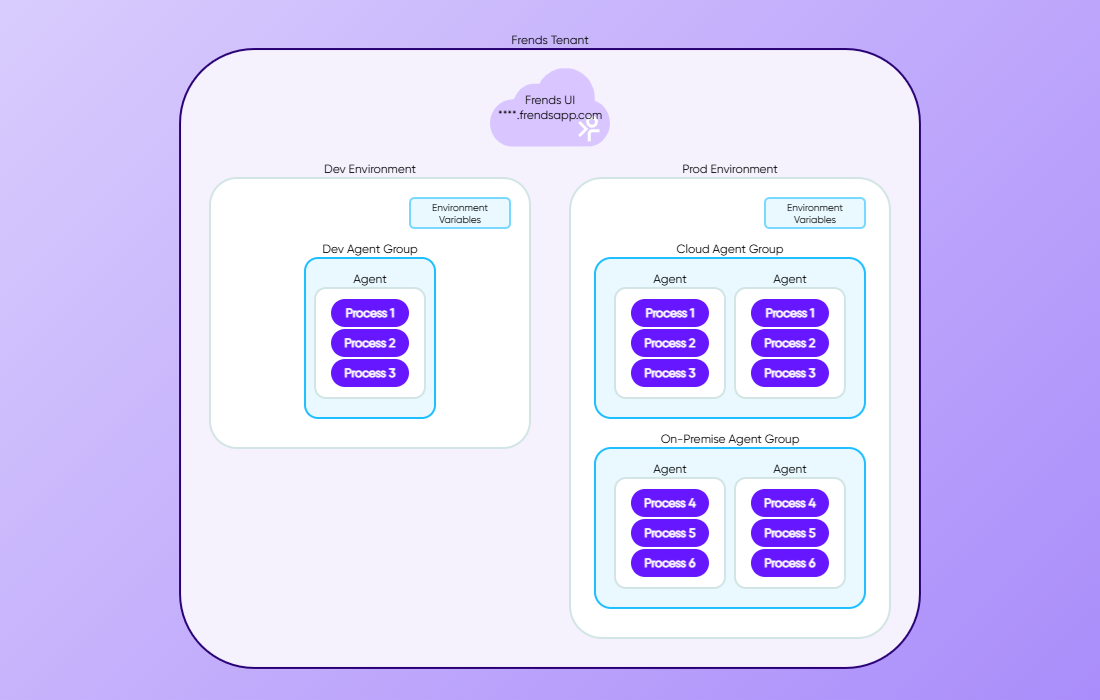
Before a Process can run automatically, it must be deployed to an Agent Group. Deployment makes the Process and its Triggers available to the Agents in that group.
The Environment provides the logical context and Environment-specific configuration. The Agent Group provides the deployment target. The Agents provide the execution runtime. The Trigger provides the start condition. The Process provides the integration logic.
```
Environment gives the context.
Agent Group is the deployment target.
Agent is the runtime executor.
Trigger starts the run.
Process defines what is executed.
Process Instance records one execution.
```
This separation allows the same Process design to be promoted through different Environments and executed by different Agent Groups without redesigning the integration logic.
Frends topology diagram.
## Execution flow
Process execution begins when a deployed Trigger condition is met. This can happen because a user starts the Process manually, a schedule reaches its configured time, an HTTP request is received, a file is detected, or another supported event occurs.
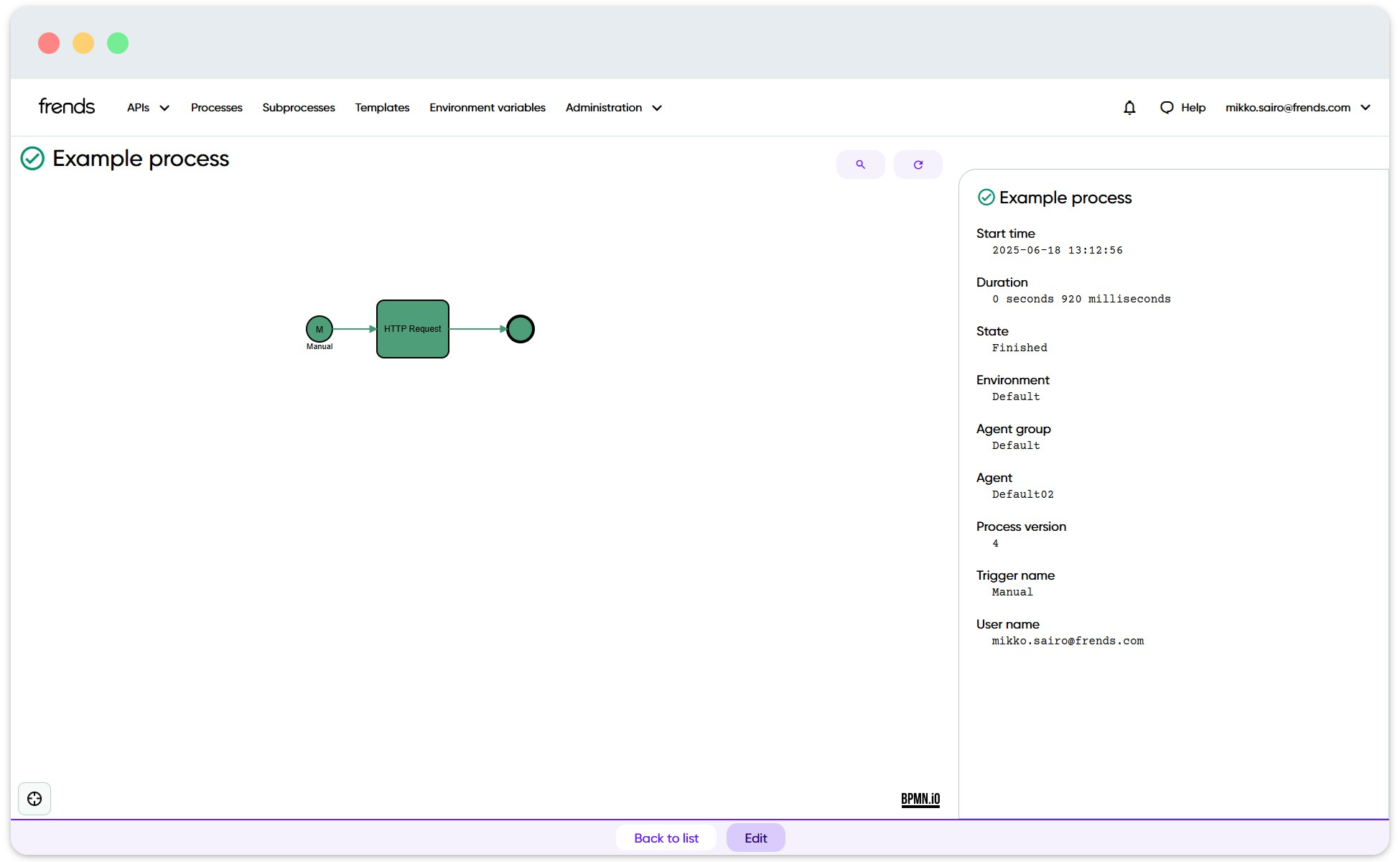
Single execution of a Process.
The Agent handling the Trigger starts a new Process Instance. If the Trigger provides input, such as request data, file information, message content, or manual parameters, that input becomes available to the Process execution.
After the Process starts, the Agent executes the Process flow. It follows the Sequence flows between elements, runs Tasks, evaluates conditions, performs transformations, calls external systems, and handles any configured branching or error logic.
When the Process reaches its end, the Process Instance is completed. The execution information is sent back to Frends for monitoring. Users can then inspect the Process Instance to see the execution status, duration, executed steps, logged values, and possible errors.
```
Trigger condition occurs
→ Agent starts a Process Instance
→ Process input is initialized
→ Agent executes the Process flow
→ Tasks and other elements are completed
→ Process reaches its end
→ Execution data is available for monitoringCollapse
```
## Monitoring Process execution
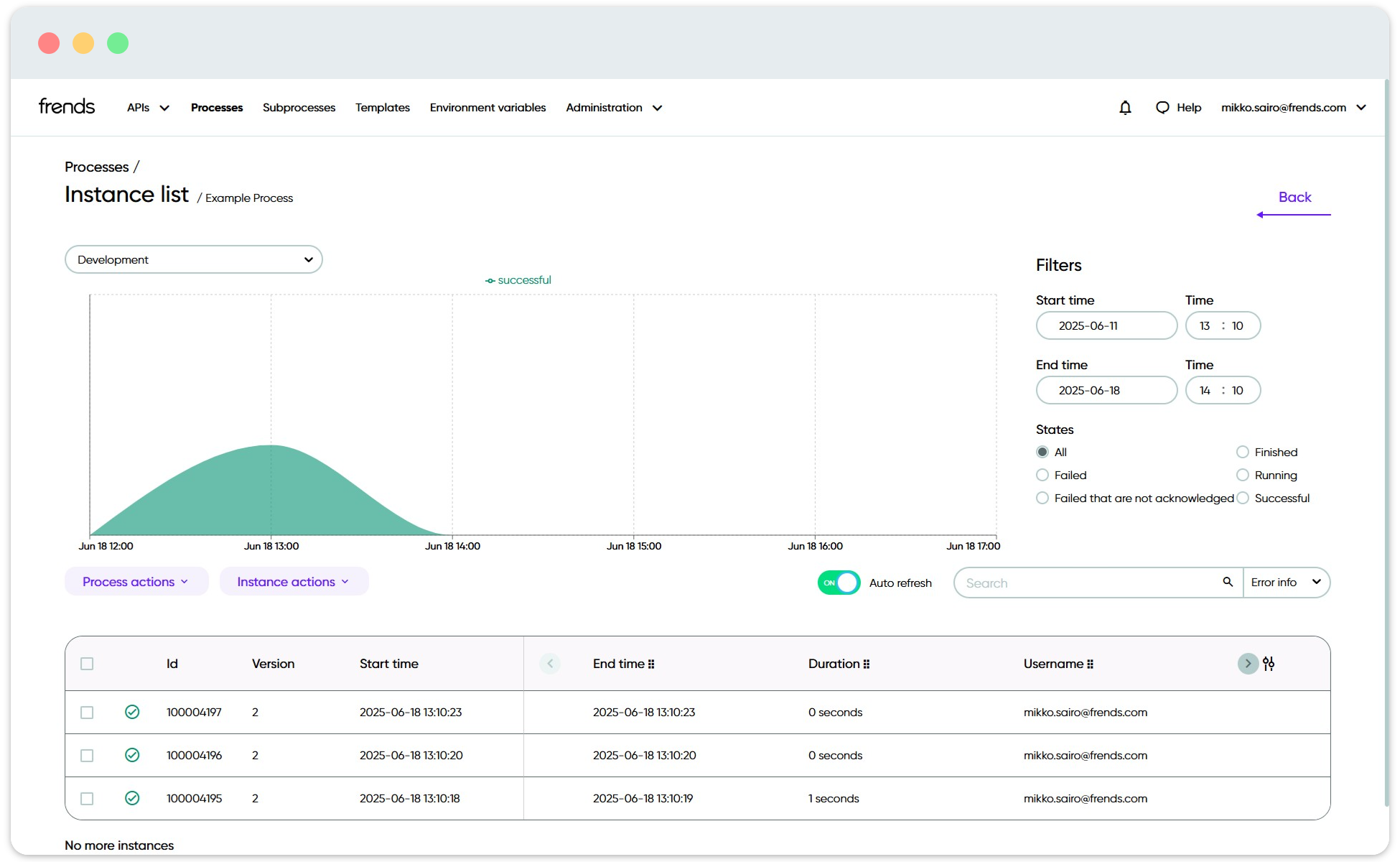
Each Process run creates a Process Instance. Process Instances are used to monitor what has happened during execution.
From a Process Instance, users can see whether the execution succeeded or failed, when it started, how long it took, and which Agent, Agent Group, and Environment were involved. Depending on logging settings, users can also inspect values produced by individual Process elements.
This makes Process Instances central to understanding runtime behavior. They connect the design-time Process to the actual runtime execution and provide visibility into how the integration behaved in a specific Environment.
Process Instance list view for a Process.
---
# Agent Instructions
This documentation is published with GitBook. GitBook is the documentation platform designed so that both humans and AI agents can read, navigate, and reason over technical content effectively. Learn more at gitbook.com.
## Querying This Documentation
If you need additional information that is not directly available in this page, you can query the documentation by asking a question.
Perform an HTTP GET request on the following URL with the `ask` and `goal` query parameters:
```
GET https://docs.frends.com/docs/frends-6.2.0/hybrid-integration-architecture/process-execution-model.md?ask=&goal=
```
`ask` is the immediate question: it should be specific, self-contained, and written in natural language.
`goal` is what the user is ultimately trying to achieve, the reason they need the answer. Sharing it helps GitBook give you a better, more relevant answer. A goal is most helpful when it describes the outcome the user wants rather than restating the question. For example, with `ask=how do I create an API token`, a goal like `automate deployments from our CI pipeline` lets GitBook tailor the answer to that use case.
The response will contain a direct answer to the question and relevant excerpts and sources from the documentation.
Use this mechanism when the answer is not explicitly present in the current page, you need clarification or additional context, or you want to retrieve related documentation sections.