> For the complete documentation index, see [llms.txt](https://docs.frends.com/llms.txt). Markdown versions of documentation pages are available by appending `.md` to page URLs; this page is available as [Markdown](https://docs.frends.com/guides/learning-paths/master-of-frends.md).
# Master of Frends
Take a step towards seniority in Frends knowledge with this path.
Welcome to the Master of Frends learning path. This path is designed for experienced Frends users who are ready to take their skills and knowledge to the next level.
By combining advanced topics from integration development, API management, operations, and technical and security topics, this path provides comprehensive coverage of sophisticated scenarios and best practices. Completing this learning path will prepare you for the most challenging integration projects and position you as a Frends expert capable of setting up a Frends environment and working on more advanced integration scenarios.
## Prerequisites
Before attempting the Master of Frends certificate, you should already have the earlier certificates obtained as this learning path and content builds on top of the content from those earlier paths.
As this course contains the further parts of other learning paths and a bit more, you should already have a pretty good understanding of Frends and the required skills and permissions to perform actions in the Frends Tenant.
You might also need some more advanced understanding of general IT infrastructure and architecture to obtain anything tangible from this path.
## Advanced Integration Development
While a lot can be done with the basic shapes in Frends Processes, learning to use some more advanced ones and how to use C# efficiently as well will enable you to create most anything you might want to program in general.
By this point, you should get familiar with the [full reference documentation for Frends shapes](/reference/shapes/shape.md), that are included below the Shapes article.
You should also check out our articles about the programming features and details for Frends Processes:
* [JSON in Frends](/reference/process-development/json-in-frends.md)
* [C# in Frends](/reference/process-development/c-in-frends.md)
And here are some guides to check out for more advanced integration scenarios that are not that rare to encounter.
* [How to handle errors in Frends Processes](/guides/development/how-to-handle-errors-in-frends-processes.md)
* [How to listen for SFTP folder changes](/guides/development/how-to-listen-for-sftp-folder-changes.md)
* [Broken mention](broken://pages/bzigwi2Gm26t2HlnOmiD)
* [Using DMN Task in Frends Processes](/guides/development/using-dmn-task-in-frends-processes.md)
AI is the next big thing in Frends, as it is coming to be part of our Processes already. Using the AI Connector enables a wide variety of actions that can be done automatically within Processes, which used to require human intervention and tasks.
* [AI Connector](/reference/shapes/activity-shapes/ai-connector.md) reference documentation
* [AI Connector](/reference/shapes/activity-shapes/ai-connector.md#examples-ai-connector) usage example
* [How to use on-premise Ollama with AI Connector](/guides/ai-features/how-to-use-on-premise-ollama-with-ai-connector.md)
You can also take the **Tutorial 6: Including AI in my Processes** from Onboarding section in your Frends Tenant to get more familiar with the shape.
### Advanced APIs
While the basics of API development don't change from the basics, there are additional methods and details you should know going forward.
* [Creating Passthrough APIs in Frends](/guides/api-management/creating-passthrough-apis-in-frends.md)
* [How to use Private Applications for authenticating to Frends API](/guides/api-management/how-to-use-private-applications-for-authenticating-to-frends-api.md)
* [Setting up Implicit OAuth flow for Frends APIs](/guides/api-management/setting-up-implicit-oauth-flow-for-frends-apis.md)
* [How to use OAuth Client Credentials for Frends API](/guides/api-management/how-to-use-oauth-client-credentials-for-frends-api.md)
* [How to Accept File Uploads & Multipart data to an API](/guides/development/how-to-accept-file-uploads-and-multipart-data-to-an-api.md)
* [How to work with SOAP in Frends](/guides/development/how-to-work-with-soap-in-frends.md)
By this point you should also be familiar with [API Triggers](/reference/triggers/api-trigger.md).
## Advanced Operations & Management
These topics cover the essentials in how to expand the capabilities of your Frends Tenant by scaling vertically, horizontally and by keeping your Frends up to date.
* [Creating new Environments & Agent Groups](/guides/setup-and-installation/creating-new-environments-and-agent-groups.md)
* [How to configure an Agent in Frends](/guides/setup-and-installation/how-to-configure-an-agent-in-frends.md)
* [Performing Frends version update](/guides/setup-and-installation/performing-frends-version-update.md)
To support these guides, [you can also read our Hybrid Integration Architecture documentation](/hybrid-integration-architecture/frends-runtime.md).
### Authenticating Frends Users
In order to secure your Frends Tenant, we highly recommend enabling your own SSO for logging in to Frends.
* [How to set up Entra ID SSO for Frends](/guides/setup-and-installation/how-to-set-up-entra-id-sso-for-frends.md)
To secure APIs, using the Entra ID authentication may be a good idea as well.
* [Setting up Implicit OAuth flow for Frends APIs](/guides/api-management/setting-up-implicit-oauth-flow-for-frends-apis.md)
* [How to use OAuth Client Credentials for Frends API](/guides/api-management/how-to-use-oauth-client-credentials-for-frends-api.md)
## Frends Platform API
The Frends Platform API allows Frends to be managed via an API interface. This can be used to automate actions, such as editing Environment Variables or deploying Processes, or accessing Process Instances for monitoring them.
## Platform management over API
Frends Platform API is a RESTful API that allows you to perform tasks and actions, and receive data from your Frends Tenant. The API thus allows automating management and monitoring tasks that otherwise would have to be done single piece at a time manually.
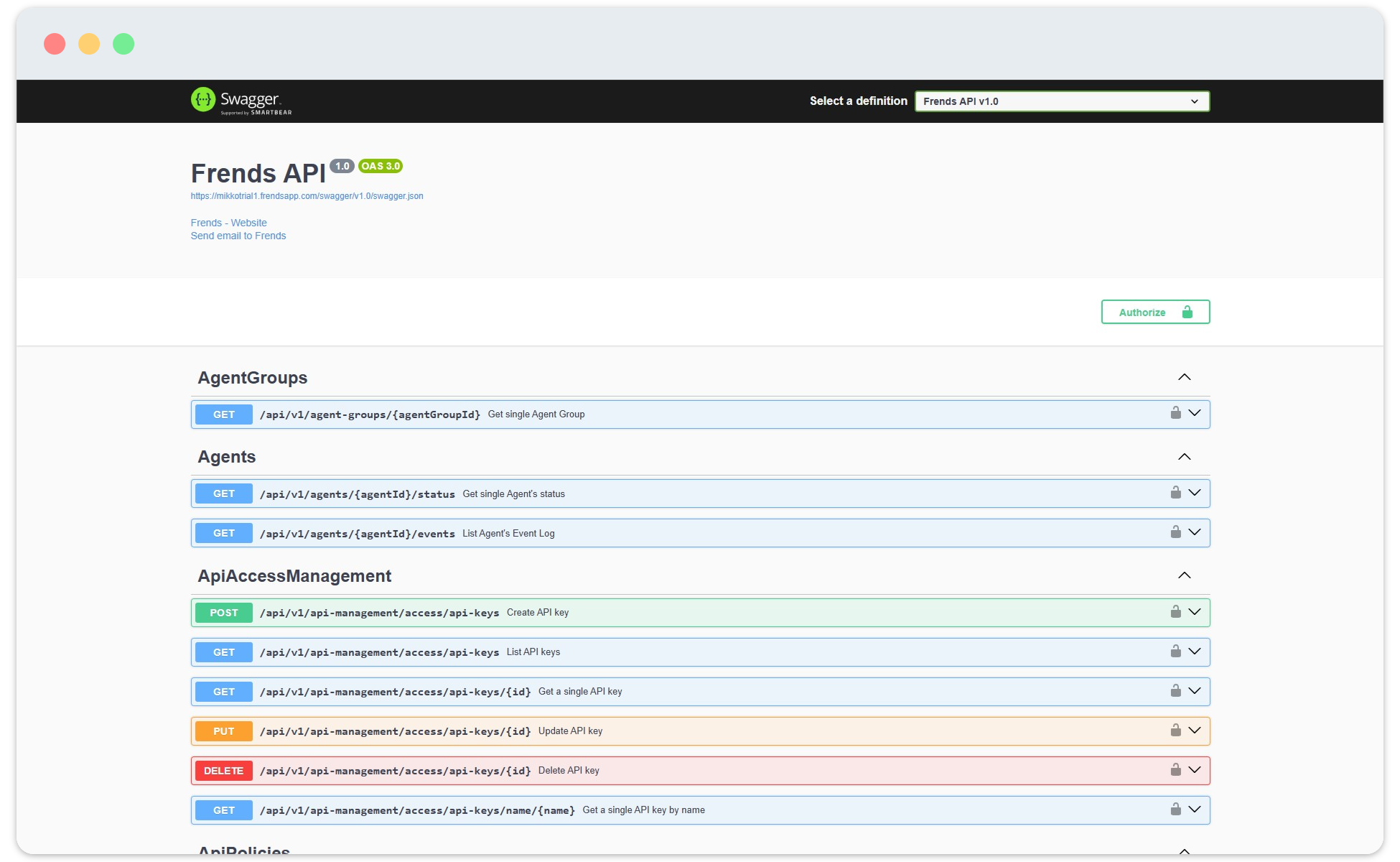
Accessing the API description and reference is done through your Frends Control Panel, using URL such as **yourtenant.frendsapp.com/swagger**. You can also find the latest Platform API reference from [here](/reference/frends-platform-api/platform-api-reference.md).
API endpoints are visible in the API description, and can be tested from here as well.
Because it is an API and it's accessible within Frends as well, what better way to create your automation to your Frends Tenant than using Frends Processes to implement them. This way you can create Processes that will perform actions to other Frends Processes, as well as collect monitoring data and adjust values in your environment as needed.
The API is designed to be used in a RESTful manner specifying Frends elements to be accessed by their identifiers. Some responses provide links, which help with further requests for the elements contained in the response. Lists use paging or continuation tokens if the data is rapidly changing, e.g. Process Instances. In these cases you need to use the continuation token to have a consistent experience enumerating the list.
### Enabling Platform API
In order to enable Platform API, some configuration is needed in your Azure Portal as well as with the Frends Support.
To learn the details, [check out the guide to enabling Frends Platform API](/reference/frends-platform-api/how-to-enable-frends-platform-api.md).
### Using the Platform API
Platform API needs to first be enabled before it can the taken into use. After enabled by Operations and Frends Support, [you can learn how to use it by following for example this guide](/reference/frends-platform-api/how-to-enable-frends-platform-api.md#using-the-platform-api).
## Technology Basics
To understand what Frends is and how it structured, you can read the following articles to get a basic undestanding.
* [Frends Runtime Environment](/hybrid-integration-architecture/frends-runtime.md)
* [Deployment Models](/hybrid-integration-architecture/deployment-models.md)
* [High Availability](/hybrid-integration-architecture/high-availability.md)
* [Technologies](/hybrid-integration-architecture/technologies.md)
## Security Basics
Security is a core principle of Frends, allowing you to focus on using the platform rather than trying to keep up with the latest security threats. Here's a few articles to get you in the know of how Frends is built to be secure and how you can include the security in your integrations.
* [Integration Security](/security/integration-security.md)
* [API Security Features](/security/api-security-features.md)
* [Access Control](/security/access-control.md)
* [Data Encryption](/security/data-encryption.md)
* [Compliance](/security/compliance.md)
## Advanced Technology & Security Topics
For further reading and preparing for the Master certificate of Frends, here are some reading tips you might enjoy.
To cover the basic details, having read and understood the [Hybrid Integration Architecture of Frends](/hybrid-integration-architecture/frends-runtime.md), as well as the [Security section of our documentation](/security/integration-security.md) is a must. A part of these were covered in the Fundamentals, but these lay out the foundation for the further topics.
For the advanced operations, you might want to understand these guides about installing and configuring your Frends Tenant.
* [Installing Frends Agent](/guides/setup-and-installation/installing-frends-agent.md)
* [How to set up High Availability configuration](/guides/setup-and-installation/how-to-set-up-high-availability-configuration.md)
In correlation with the Agent configuration, [we have a set of Architecture reference docs available](/reference/architecture/agent-application-settings.md) for all the details in regards to configuring both Frends and your infrastructure to support Frends functionality.
---
# Agent Instructions
This documentation is published with GitBook. GitBook is the documentation platform designed so that both humans and AI agents can read, navigate, and reason over technical content effectively. Learn more at gitbook.com.
## Querying This Documentation
If you need additional information that is not directly available in this page, you can query the documentation by asking a question.
Perform an HTTP GET request on the following URL with the `ask` and `goal` query parameters:
```
GET https://docs.frends.com/guides/learning-paths/master-of-frends.md?ask=&goal=
```
`ask` is the immediate question: it should be specific, self-contained, and written in natural language.
`goal` is what the user is ultimately trying to achieve, the reason they need the answer. Sharing it helps GitBook give you a better, more relevant answer. A goal is most helpful when it describes the outcome the user wants rather than restating the question. For example, with `ask=how do I create an API token`, a goal like `automate deployments from our CI pipeline` lets GitBook tailor the answer to that use case.
The response will contain a direct answer to the question and relevant excerpts and sources from the documentation.
Use this mechanism when the answer is not explicitly present in the current page, you need clarification or additional context, or you want to retrieve related documentation sections.