# AI Audit Logs

Monitoring the use of AI is often critical for security and debugging, due to AI operating almost like a black box, without insight into why the specific decisions and actions were done.

AI audit logs in Frends provide visibility to what the AI is being used for in your Frends Tenant, as well as showing the amount of use AI receives and how much usage, measured in Frends credits, you have left from your Frends subscription. You can also configure additional Frends credits availability here.

## AI Audit Log

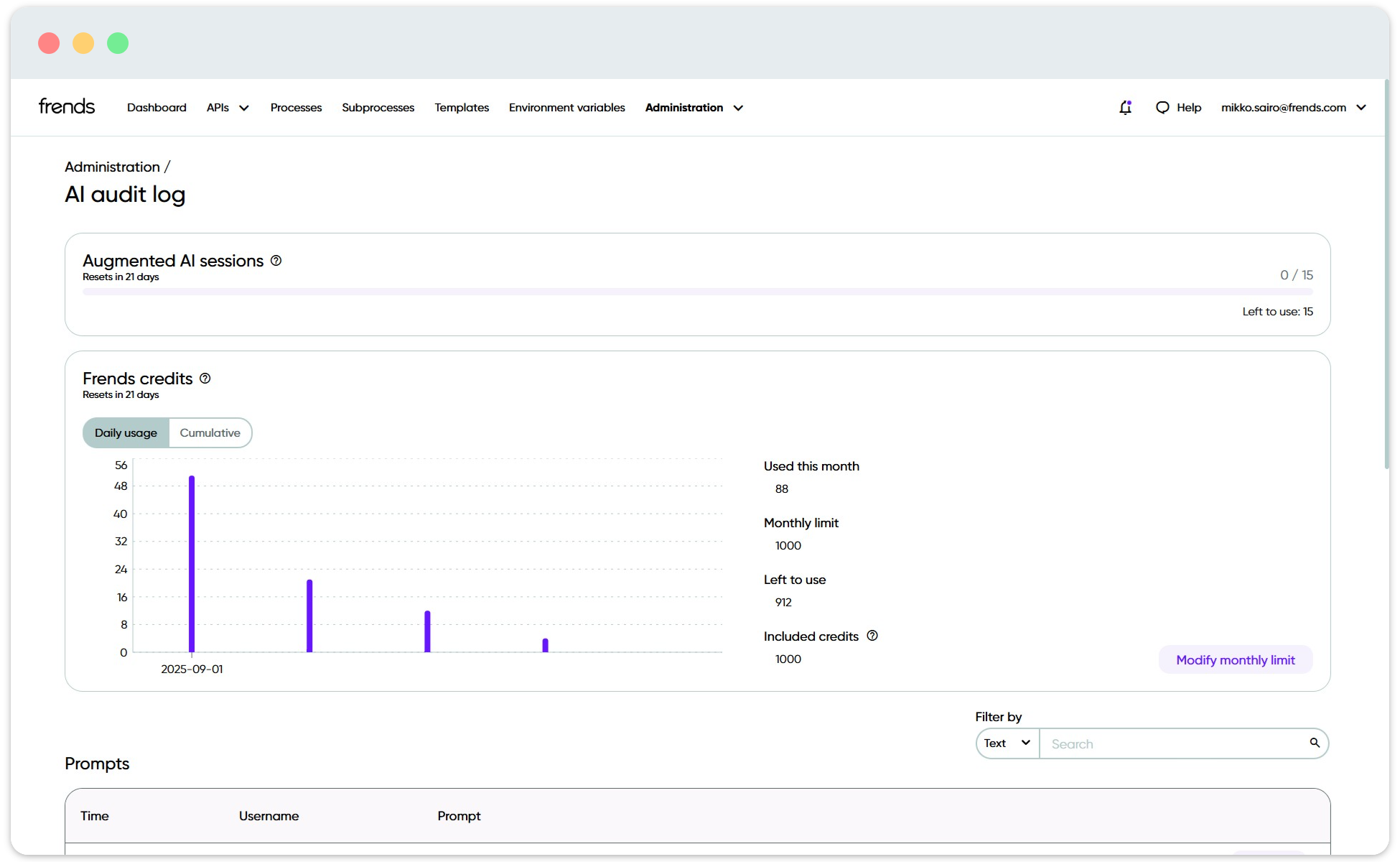
Accessible under **Administration > AI Audit Log**, the view will show you at a glance the number of Augmented AI sessions and Frends credits used for the current month.

<figure><img src="/files/fHbh7iBku9qohSSQbIZS" alt=""><figcaption><p>Usage graphs for AI in your Tenant.</p></figcaption></figure>

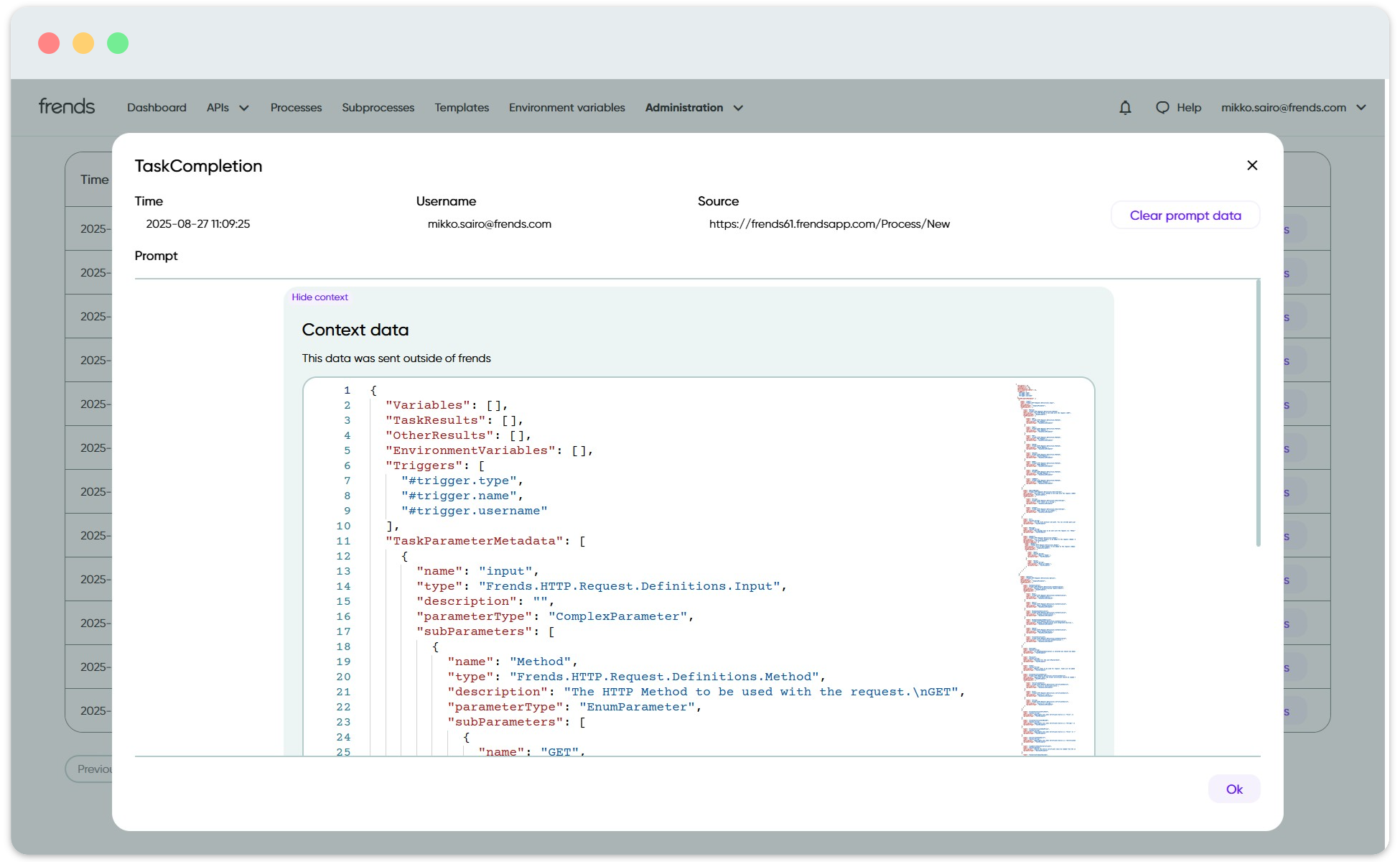
In order to monitor what was prompted from the AI, by who, and what was the response from the AI, you can check out the **Prompts** list below. This will show you all the prompts made and responses received by the users in your Frends Tenant, as well as the context provided for the AI. For information security auditing, this data is invaluable to make sure no sensitive data is being leaked through the AI.

Note that the use of AI Connector is not visible here due to possibly large amount of executions being done at any time. Executions of AI Connector and its reasoning log is visible in corresponding Process Instance log, if logging is enabled.

<figure><img src="/files/O1dmQy3kWsD9vkgmqmTc" alt=""><figcaption><p>Clicking on Show Context for any AI interaction in the Prompts list shows all the data being sent from Frends.</p></figcaption></figure>

## Frends credits

Using Frends AI in your Frends Tenant consumes credits, that are based on the model being used and how many tokens each interaction with AI required. All Frends subscriptions that include AI features will also include a number of credits available to use at no additional cost for you.&#x20;

If the monthly credit limit is reached, using Frends AI will be blocked from you until next billing period. While the included amount of credits is enough for getting started with AI, heavier use of AI features may require obtaining more credits to continue using the AI.&#x20;

In order to obtain more Frends Credits, click on **Modify monthly limit** button next to the Frends credits usage graph. You can enable **Pay-as-you-go** option to increase the monthly limit of available Frends credits for you. Any credits used over the included amount will be billed afterwards with your Frends subscription.

<figure><img src="/files/YlawuwOsPSwRSLEpj60e" alt=""><figcaption><p>Enabling pay-as-you-go allows you to modify the monthly limit for Frends credits usage.</p></figcaption></figure>


---

# Agent Instructions: Querying This Documentation

If you need additional information that is not directly available in this page, you can query the documentation dynamically by asking a question.

Perform an HTTP GET request on the current page URL with the `ask` query parameter:

```
GET https://docs.frends.com/management-and-operations/dashboard-and-monitoring/ai-audit-logs.md?ask=<question>
```

The question should be specific, self-contained, and written in natural language.
The response will contain a direct answer to the question and relevant excerpts and sources from the documentation.

Use this mechanism when the answer is not explicitly present in the current page, you need clarification or additional context, or you want to retrieve related documentation sections.