> For the complete documentation index, see [llms.txt](https://docs.frends.com/llms.txt). Markdown versions of documentation pages are available by appending `.md` to page URLs; this page is available as [Markdown](https://docs.frends.com/management-and-operations/integration-lifecycle.md).
# Integration Lifecycle
CI/CD is built in to Frends.
Frends provides effective tools to control the development and release cycle for your Processes. With the Environments and versioning Frends provides, it's possible for developer to develop integrations, test them in development environment, and push the new version forward with just a click of a button.
## Environments & Agent Groups
Environments and Agent Groups form the core structural foundation for managing the integration lifecycle within Frends. These concepts allow organizations to define a clear path for development, testing, and production while maintaining total control over where and how data is processed. By separating the logical definition of a stage from the physical execution environment, Frends provides the flexibility needed for complex hybrid cloud architectures and secure data handling.
Read more about [the execution environments in Frends here](/hybrid-integration-architecture/frends-runtime.md).
## Process Deployment
Process Deployment is the mechanism by which integration workflows are moved through the defined lifecycle stages in Frends. It provides a controlled and repeatable way to deploy changes from development to production, ensuring that every transition is reliable and safe.
Selecting the target Environment and Agent Group for Process deployment.
Frends is designed to manage the entire lifecycle of an integration natively, providing a seamless experience from the first design to the final production execution. This centralized approach ensures that moving a Process from a development build to a production-ready state is a streamlined and consistent experience.
By managing the deployment process directly within the platform, Frends maintains a tight link between the visual design of the integration and its operational state. This offers users high visibility and control over their workflows without the need for additional management layers.
You can check out [more details about the Process deployment from here](/management-and-operations/integration-lifecycle/deployment-pipeline.md).
## Environment Variables
Environment Variables let you reuse the same values across multiple Processes, but they're also essential for CI/CD. By using them to define Environment-specific settings (like source or target systems), you can deploy new or updated Processes with a single click — no manual changes required.
Environment Variables are defined centrally in the Environment Variables section of Frends Control Panel, and can hold groups of values for different purposes. Values can be grouped together by their purpose, such as per target system or for specifically global error handling, and the values themselves can be textual, numerical, lists or secrets.
Environment Variables are the global values for each Environment.
[Learn more about Environment Variables here](/management-and-operations/integration-lifecycle/environment-variables.md).
## Version Control
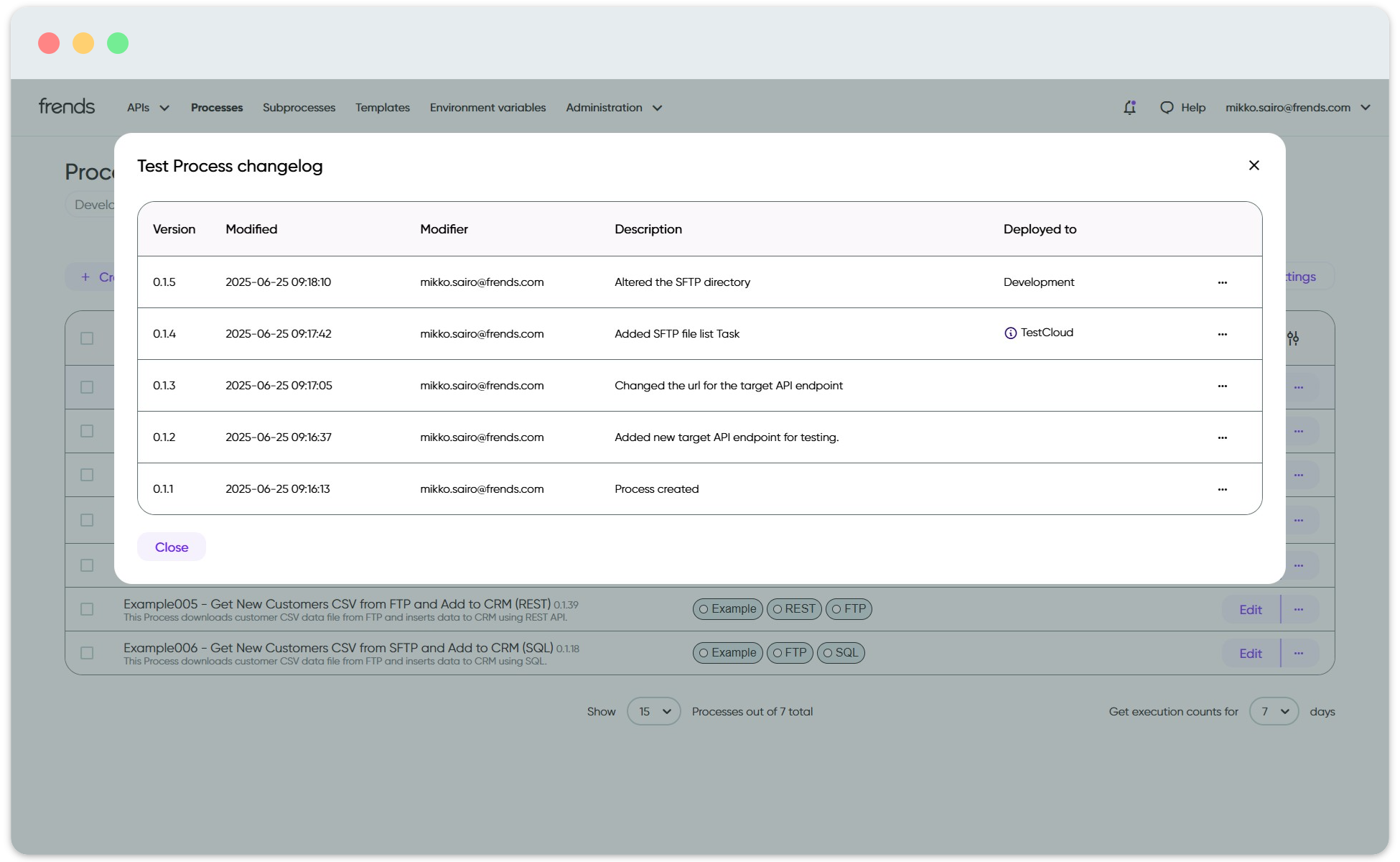
Versioning for the Processes is automatic in Frends. Everytime a change is made, be it to Process, Subprocess or API, a version change is included for that object. This makes sure that no matter what, a traceable and backtrackable path of changes is always available, and the included versioning tools will help in identifying what was changed.
Version history for a Process.
[Read more about Frends version control features here](/management-and-operations/integration-lifecycle/version-control.md).
---
# Agent Instructions
This documentation is published with GitBook. GitBook is the documentation platform designed so that both humans and AI agents can read, navigate, and reason over technical content effectively. Learn more at gitbook.com.
## Querying This Documentation
If you need additional information that is not directly available in this page, you can query the documentation by asking a question.
Perform an HTTP GET request on the following URL with the `ask` and `goal` query parameters:
```
GET https://docs.frends.com/management-and-operations/integration-lifecycle.md?ask=&goal=
```
`ask` is the immediate question: it should be specific, self-contained, and written in natural language.
`goal` is what the user is ultimately trying to achieve, the reason they need the answer. Sharing it helps GitBook give you a better, more relevant answer. A goal is most helpful when it describes the outcome the user wants rather than restating the question. For example, with `ask=how do I create an API token`, a goal like `automate deployments from our CI pipeline` lets GitBook tailor the answer to that use case.
The response will contain a direct answer to the question and relevant excerpts and sources from the documentation.
Use this mechanism when the answer is not explicitly present in the current page, you need clarification or additional context, or you want to retrieve related documentation sections.

.png?alt=media&token=4d76b72d-66bf-4bcf-9b61-7f970c82c218)